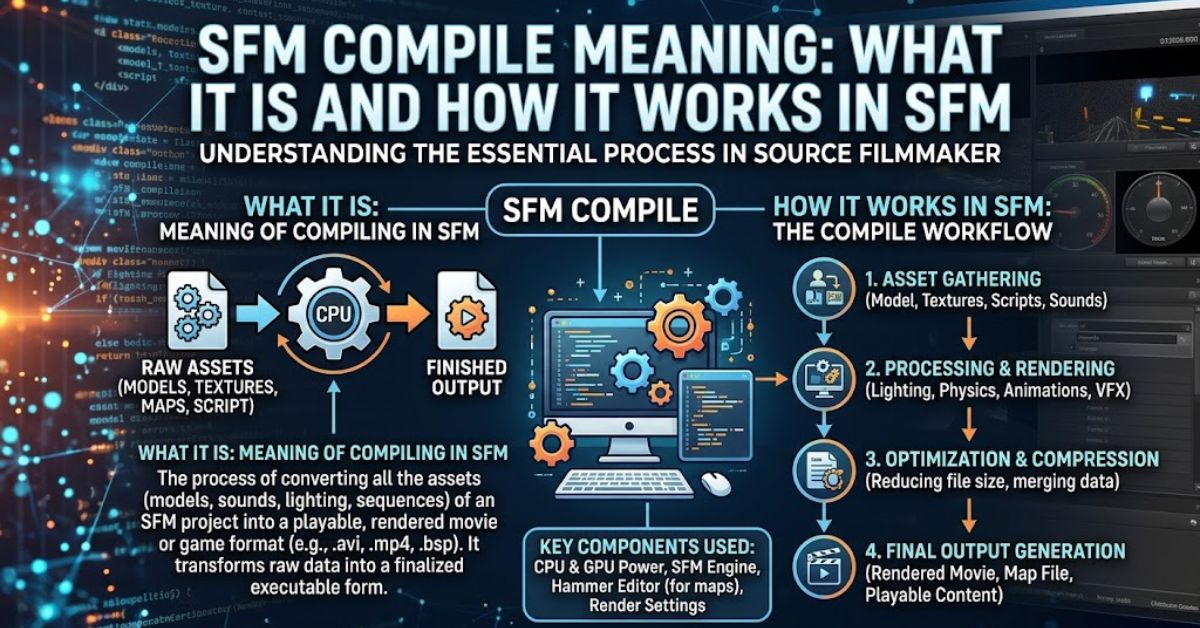
If you work with Source Filmmaker, you may eventually run into the term SFM Compile. It sounds highly technical, but the basic idea is straightforward. Compiling usually means taking source assets or project data and processing them into a format that Source Filmmaker or the Source engine can use correctly. Depending on the task, this may involve models, maps, textures, animations, or other game assets.
However, SFM Compile does not always describe one single process. A model creator may use the term differently from a map designer or animator. Understanding that difference can save hours of troubleshooting.
This guide explains the SFM Compile meaning, how compilation works, the tools commonly involved, typical errors, and practical steps for getting assets ready for use in Source Filmmaker.
Quick Answer: What Does SFM Compile Mean?
SFM Compile generally means converting source files, instructions, or editable assets into processed files that Source Filmmaker or its underlying Source engine can read and use. The exact process depends on what you are compiling.
For example, model compilation can turn model source data into engine-ready model files. Map compilation processes editable map data into a playable or usable map. In broader discussions, creators may also use “compile” informally when talking about preparing custom assets for SFM.
The key point is simple: compiling is usually the processing stage between creating or editing an asset and successfully using that asset inside the engine.
SFM Compile Meanings at a Glance
The meaning of SFM Compile changes slightly based on the creator’s workflow. For model work, compilation generally involves processing model source files and configuration instructions into formats recognized by the Source engine. This may include meshes, materials, bones, animation sequences, collision information, and other model properties.
For maps, compiling has a different purpose. An editable level must be processed so the engine can load and render it correctly. Map compilation can involve geometry, visibility information, and lighting calculations. Because of this, searching for an “SFM compile error” without identifying whether the problem involves a model, map, or another asset can lead to the wrong solution.
The term may also appear in community tutorials as shorthand for an entire asset-preparation workflow. Someone might say they “compiled a model for SFM” even though several individual steps were required. Therefore, context matters. Before troubleshooting, identify the asset type, source format, compiler, output files, and exact error message.
How SFM Compile Works
A typical SFM Compile workflow begins with editable source material. The creator prepares an asset and provides the information required by the appropriate Source engine tool. The compiler then reads those instructions, checks the supplied files, and produces output that the engine can understand.
Model compilation is a good example. A model may need information about its geometry, skeleton, materials, animations, and other properties. A configuration or script tells the compiler how these parts should be handled. If required paths or files are missing, the process may stop or produce an asset that does not behave as expected.
Compilation should therefore be viewed as more than simple file conversion. It connects authoring tools with the engine’s runtime format. Correct source files, directory paths, syntax, and asset dependencies all matter. When one part is wrong, troubleshooting should begin with the compiler output rather than random changes to the SFM project.
Model Compilation in Source Filmmaker
Model compilation is one of the most common situations where users encounter the SFM Compile term. Source Filmmaker uses the Source engine’s model system, so custom characters, props, and other models need compatible data before they can function properly.
A model workflow may involve mesh data, skeletal information, animation files, material references, and a QC script. The QC file acts as a set of instructions for the model compiler. It can define important details such as the model name, source files, sequences, surface properties, body groups, attachments, and other settings.
The Source engine tool commonly associated with this process is StudioMDL. It processes the supplied model data according to the compilation instructions. If successful, it creates the model files required by the engine. Those outputs then need to be stored in appropriate game directories so Source Filmmaker can locate them.
What Is a QC File in SFM Compilation?
A QC file is an important part of many Source model compilation workflows. Rather than containing the finished 3D model itself, it provides commands that tell the compiler what to build and how different model components relate to each other.
For instance, a QC script may point toward reference geometry and animation sequences while defining the output model path. More advanced projects can include additional commands for attachments, collision models, body groups, skins, or other engine features.
Small mistakes can cause large problems. Incorrect paths, missing quotation marks, unsupported commands, or references to nonexistent files may prevent a successful compile. For that reason, checking the QC script and compiler log is often one of the first useful steps when diagnosing an SFM model compilation problem.
Map Compilation and SFM
Maps follow a different SFM Compile process. A level editor works with editable map information, but the Source engine requires processed data before that level can function as an engine map. Compilation performs this transformation.
Traditional Source map compilation can include separate stages for processing geometry, calculating visibility, and generating lighting information. Tools associated with these stages include VBSP, VVIS, and VRAD. Each has a different role in turning level-design data into a usable map.
A problem in one stage can affect the final result. Broken geometry may cause an early compile failure, while lighting or visibility issues can create other errors or unusually long processing times. Reading the compile log is therefore essential. It usually provides more useful evidence than judging the problem only by what appears inside SFM.
Common SFM Compile Errors
Many SFM Compile failures come from ordinary configuration problems rather than a damaged Source Filmmaker installation. Missing source files are a frequent cause. If a script references a model, animation, texture, or directory that does not exist, the compiler cannot process it as expected.
Path problems are another common issue. Source tools depend heavily on directory structures and correctly written references. A file may exist on the computer but still fail to load because the compiler is looking somewhere else. Syntax mistakes inside QC files or other configuration data can produce similar failures.
Creators may also encounter incompatible assets, incorrect material references, invalid geometry, skeleton problems, or limitations in older Source tools. The exact compiler message matters. Instead of assuming every error has the same fix, identify the first meaningful error in the log and trace it back to the related source asset or command.
How to Troubleshoot an SFM Compile Problem
Start by identifying what you are actually compiling. Determine whether the project involves a model, animation, map, or another custom asset. Next, reproduce the problem and carefully read the compiler output. Warning messages can be useful, but an actual error near the point where compilation stops deserves priority.
Then verify file paths and dependencies. Check that every referenced source file exists and that filenames match exactly. For model projects, inspect the QC script and confirm that its commands point to the intended assets. If you recently edited the script, compare the failing version with the last version that compiled successfully.
Finally, simplify the project when possible. Test a smaller version with fewer components. Adding features back gradually can reveal which model element, animation, command, or map object triggers the failure. This method is usually faster than changing several settings at once because you preserve a clear cause-and-effect trail.
SFM Compile vs. Rendering
Compilation and rendering are related to an SFM workflow, but they are not the same process. SFM Compile normally prepares assets or engine data so Source Filmmaker can use them. Rendering creates the visual output from a finished animation or scene.
For example, you might compile a custom character model before importing or accessing it in SFM. After posing the character, adding animation, setting cameras, adjusting lights, and completing the scene, you can render the final output.
Keeping these terms separate makes troubleshooting easier. A model that fails during compilation has an asset-development problem. A scene that loads correctly but produces poor image or video output is more likely connected to rendering, lighting, camera settings, materials, or export configuration.
Best Practices for Reliable SFM Compilation
Organized project files make SFM Compile work much easier. Keep source models, animations, materials, scripts, and finished outputs in predictable folders. Clear naming also helps prevent accidentally referencing an outdated version of an asset.
Compile after meaningful changes instead of waiting until an entire complex asset is finished. If a basic model compiles correctly, test again after adding animations, attachments, body groups, or other advanced features. This approach helps isolate errors before they become buried inside a large project.
Additionally, save working versions of important scripts and assets. When a new edit causes an error, you can compare it against the last successful build. Most importantly, read compiler messages carefully. A specific error message gives you a starting point, while blindly reinstalling tools or changing unrelated settings often creates additional problems.
Why Understanding SFM Compile Matters
Learning the basics of SFM Compile gives creators more control over custom content. Instead of treating models and maps as mysterious finished files, you begin to understand how source assets become data that the engine can actually load.
This knowledge is especially useful when porting models, creating original characters, modifying existing assets, building custom environments, or fixing broken community resources. It also makes technical tutorials easier to follow because terms such as QC, StudioMDL, VBSP, VVIS, VRAD, materials, sequences, and model paths become part of a connected workflow.
You do not need to master every Source engine tool immediately. Understanding the asset type, required inputs, compiler, output location, and error log provides a strong foundation for solving most beginner compilation problems.
FAQs About SFM Compile
What does SFM Compile mean?
SFM Compile generally refers to processing source assets or project data into formats that Source Filmmaker and the Source engine can use. The exact meaning depends on whether you are working with models, maps, or other assets.
What tool is used to compile models for SFM?
StudioMDL is the Source engine model compiler commonly associated with compiling model data. Model workflows often use a QC script to provide instructions to the compiler.
Why does my SFM model fail to compile?
Common causes include missing source files, incorrect file paths, QC syntax problems, incompatible data, or errors in model components. Check the compiler log for the first meaningful error before changing unrelated settings.
Is SFM compiling the same as rendering?
No. Compilation prepares engine assets or data for use, while rendering produces visual output from an SFM scene or animation. They are separate stages of the workflow.
What is a QC file used for in SFM?
A QC file contains instructions used during Source model compilation. It can define the model output, source geometry, animation sequences, attachments, body groups, collision settings, and other properties.
Conclusion
Understanding SFM Compile becomes much easier once you separate model compilation, map compilation, and final rendering. In most cases, compiling means processing editable source data into files the Source engine can recognize and use. Model creators may work with QC scripts and StudioMDL, while map workflows can involve tools such as VBSP, VVIS, and VRAD.
When compilation fails, start with the error log, verify paths, confirm required files, and test changes one at a time. This structured approach is far more effective than guessing. Once you understand how source assets move through the compilation process, creating and troubleshooting custom Source Filmmaker content becomes faster, clearer, and more manageable.
